The Problem with Binary Presence Checks
Most production teams track media with a simple yes-or-no mindset: either a video appears in the library bin or it does not. That assumption causes critical failures when an operator launches a cue only to discover that the codec stutters, an audio channel routes to an unassigned bus, or the high-resolution master was replaced by a low-bitrate proxy during folder synchronization. The file was indeed present on the hard drive, but it was far from ready for live playback.
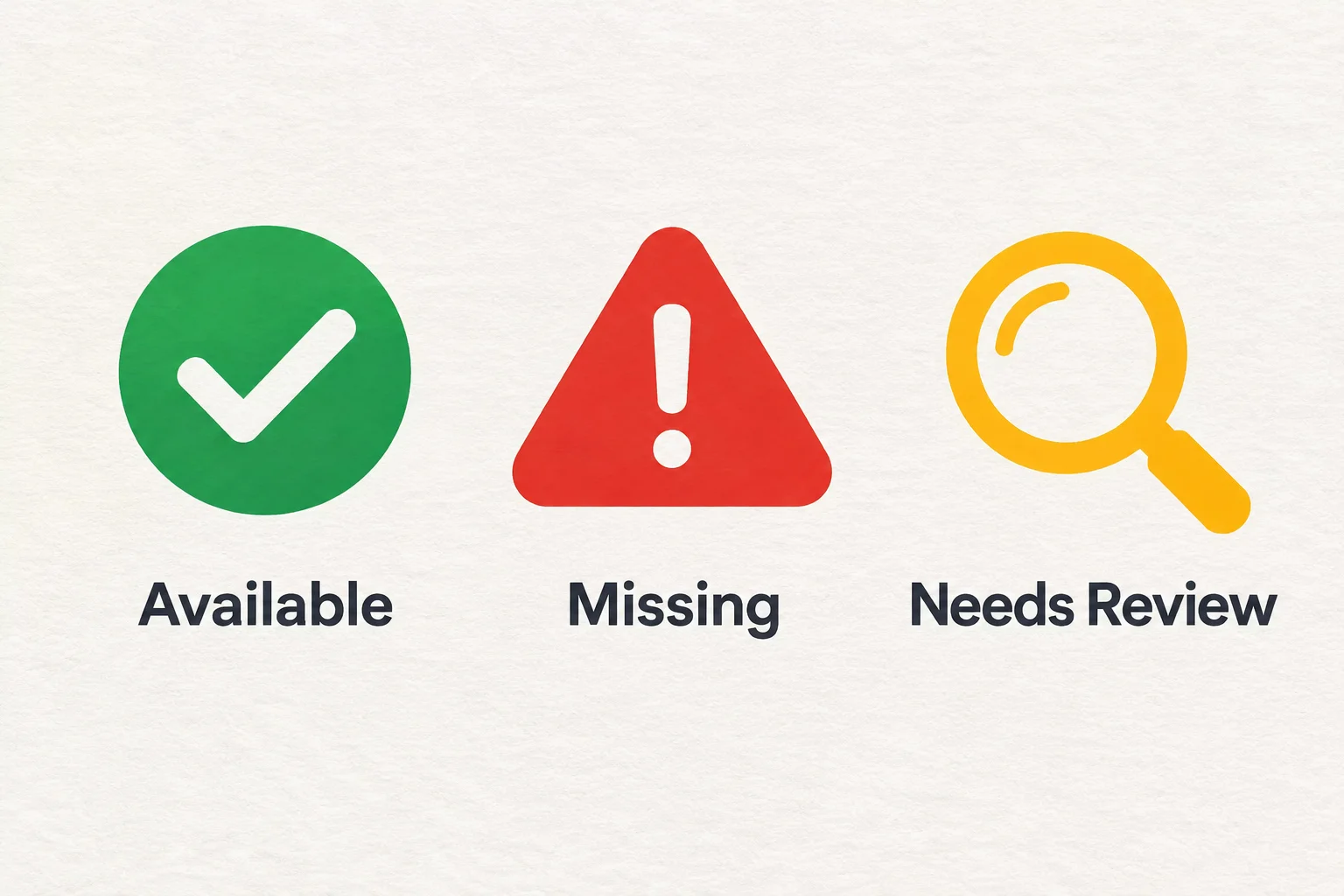
A resilient asset register relies on three unambiguous operational tiers: Available, Missing, and Needs Review. Each status carries specific entry criteria and dictates concrete engineering responsibilities before rehearsal calls.
Defining the Three Operational Tiers
Assigning an accurate status requires moving past thumbnail previews and inspecting actual file readiness on target hardware.
1. Available: Cleared for Real-Time Execution
Mark an asset as Available strictly when it satisfies four simultaneous criteria: the file resides on local solid-state storage, file permissions allow full read execution without network credential prompts, the container decodes cleanly through the native GPU playback pipeline, and target output dimensions match stage canvas configurations. An item marked Available requires no further technical intervention.
2. Missing: Path Broken or Source Unreachable
Mark an asset as Missing whenever the host application cannot resolve the file URI or when the physical container has been relocated, unmounted, or erased. Operators often waste rehearsal time trying to scrub missing files; tagging them explicitly as Missing immediately triggers retrieval protocols, searching cold-storage backups or requesting original packages from client production teams.
3. Needs Review: Physical Existence with Technical Uncertainty
The Needs Review status captures everything that prevents confident execution. Use this tier whenever any of the following conditions emerge:
- The file sits on an external removable drive or unverified shared volume rather than designated internal storage.
- File modification timestamps differ between primary and backup presentation rigs.
- Audio sample rates conflict with interface clocks (for instance, a 44.1 kHz render inside a 48 kHz synchronized timeline).
- Video framerates or color spaces cause unusual rendering latency or gamma shifts during preliminary screening.
- A client uploaded a revised cut without documenting specific slide or timeline adjustments.
Operational Triage: Moving Assets to Available
Rehearsal schedules do not tolerate ambiguous statuses. As soon as an asset register shows items under Needs Review or Missing, apply this systematic triage workflow:
- Consolidate Local Paths: Copy all candidate assets into the project's dedicated media directory on the primary workstation SSD. Never execute live shows from USB thumb drives or network shares.
- Perform Native Playhead Scrubs: Open the clip directly inside the presentation cue viewer. Check head, middle, and tail points to confirm complete container integrity and absence of corrupt frames.
- Verify Bus and Output Mappings: Ensure stereo stems or multichannel tracks direct cleanly into the physical audio interface channels.
- Audit Redundancy Mirrored Drives: Replicate verified assets across the secondary playback machine to eliminate discrepancies before operator sign-off.
Frequently Asked Questions
Why should we avoid marking network assets as Available?
Network drives introduce latency, intermittent bandwidth drops, and credential timeouts. Even if a video plays smoothly across a Gigabit connection during morning soundcheck, background synchronization tasks during a live session can stall buffer streams and drop frames.
Who has the authority to transition an item from Needs Review to Available?
Only the designated media engineer or lead playback technician who performed the full playhead scrub and audio routing verification on the actual show computer holds clearance to update status registers.
What should happen if an asset remains Missing thirty minutes before house open?
The lead technician initiates the fallback protocol: substitute an approved generic event loop, project a static brand card, or notify stage management that the segment will run without supporting visual cues.