Understanding File Path Dynamics
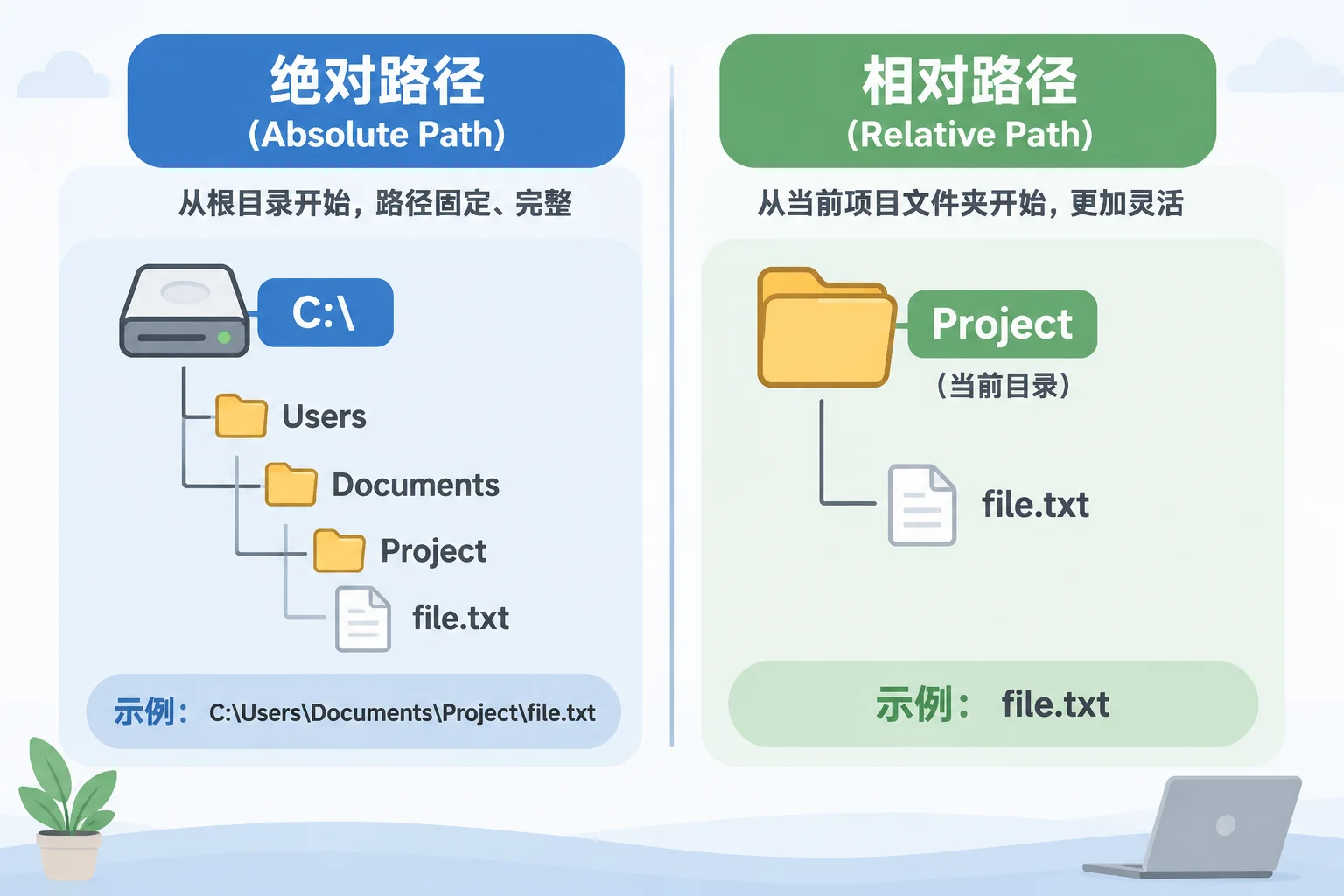
When you import a video or image into your presentation library, the application records exactly where that file lives on your storage drive. If that file is located in a folder named 'Project_2026' and you decide to rename it to 'Event_2026', your software will search for the original name, fail, and display an error. The software does not track the file's 'intent'; it tracks its specific filesystem location.
Why Absolute Paths Are Vulnerable
Many professional software packages store 'absolute paths'. An absolute path contains the entire chain of directories starting from the drive letter (e.g., C:\Media\Project_2026\Video.mp4). Changing any folder name in that chain breaks the entire link. This is particularly problematic in shared network environments where multiple users might be pointing to the same source. When one person renames a folder, they unknowingly break the link for everyone else who has those assets indexed.
Best Practices for File Management
To avoid frequent 'Missing Media' errors, develop a strict folder structure early. Before you start importing assets into your project library, ensure that all folder names are final and descriptive. If you absolutely must move or rename content, do so at the root level before importing, or perform the change through the library software's built-in file management tools, which are designed to update internal database references to match the new file location.